DB Browser for SQlite-Ying Jianke’s alternative solution
DB Browser for SQlite-Ying Jianke’s alternative solution
Official Account: Non-Deconstructive · Author: Zhou Wenqi (Venchy)
The significance of YJK to current structural engineers is self-evident. The relatively friendly interface, relatively rich functions, etc. all play a key role in improving the work efficiency and work quality of structural engineers.

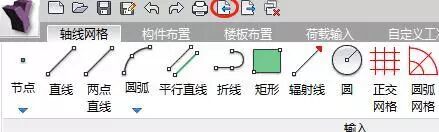
However, in the process of using YJK through visual cross-sections, we will encounter various problems from time to time. For example, when the number of nodes is large, the program needs a lot of time to regenerate the database, causing the software to often freeze. When using inter-layer editing to process models, various errors and omissions often occur. Various problems are also prone to occur when performing operations that require a lot of mechanical work. So, do YJK have other possibilities for model processing? Tracing back to the source, the files in YJK that store model data are essentially database files. Most of its database files are encrypted, but in order to develop interfaces with other software, it provides an unencrypted model file database: ydb file. Simply operate the export button located in the upper left corner of YJK to generate the relevant ydb file
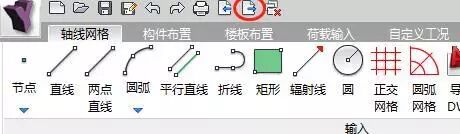
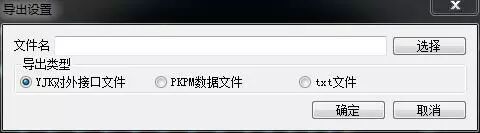
Select the YJK external interface file and select the relevant path to get the relevant database exported from YJK, with the file extension ydb.
那么这个导出的ydb文件有何作用呢? It is actually an SQlite database file. You only need to use the relevant tools to read SQlite to read all the data in the SQlite database. DB Browser for SQlite is a software that can read SQlite database.
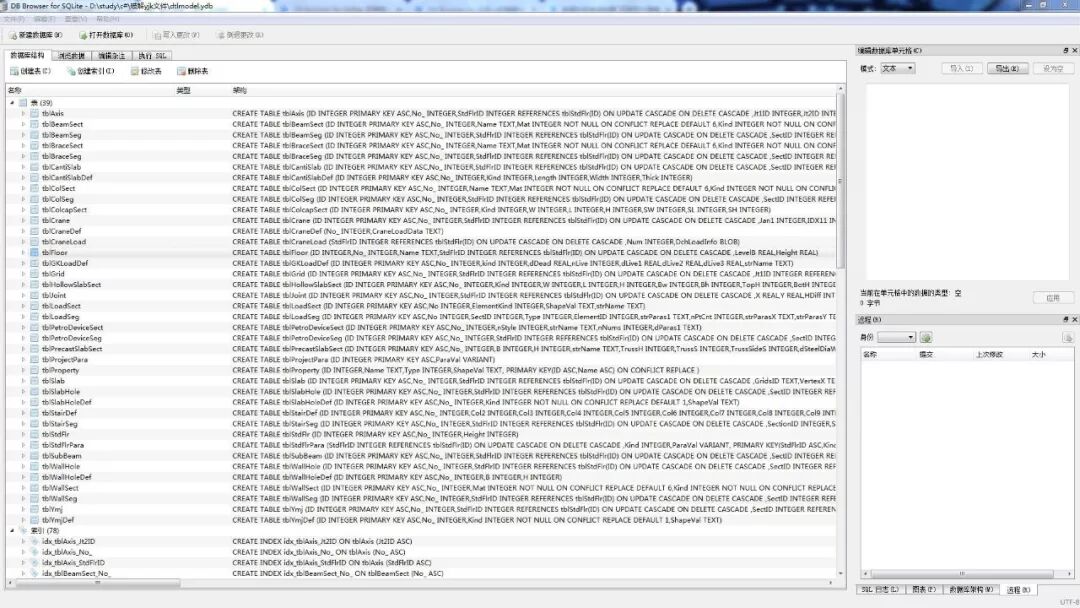
Click Open Database to open the exported ydb file. The contents contained in the ydb file are clear at a glance. So the question comes again, even if the database is open, what is the meaning of each data in this database?
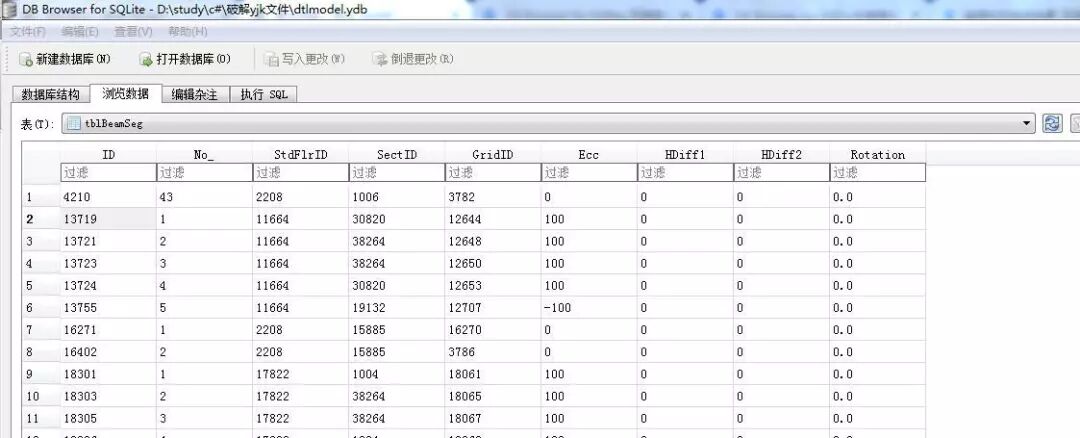
Open any table in the database. The name of the table is tblBeamSeg. The table contains 9 columns such as ID, NO, and STDFLRID. YJK provides a complete explanation of the meaning of each column of data:
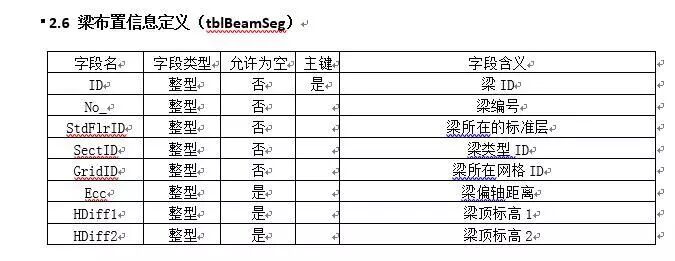
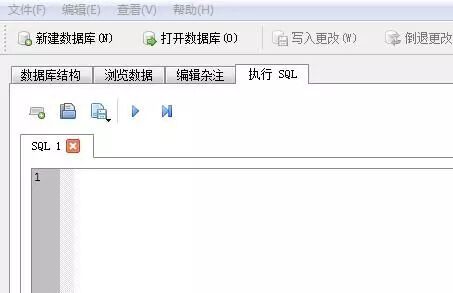
是不是很简单? At this point, the database can be opened and the meaning of all data in the database can be interpreted. So, can we achieve the purpose of modifying the model by modifying the data in the model? If batch modifications are required, students with programming skills can use the SQL execution interface that comes with DB Browser for SQlite to execute the relevant SQL code to modify the contents of the database.
After the database is modified, how to import the database back to YJK? It’s very simple, it’s still in the upper left corner of the YJK interface. Just click the button opposite to the export button.
PS: By operating the export and import buttons, you can also convert higher version YJK files into lower version YJK files.
In addition to reading ydb files through DB Browser for SQlite, you can also read and modify related ydb files by executing SQLite statements through computer programming languages. The following is the code and results for reading relevant data through python.
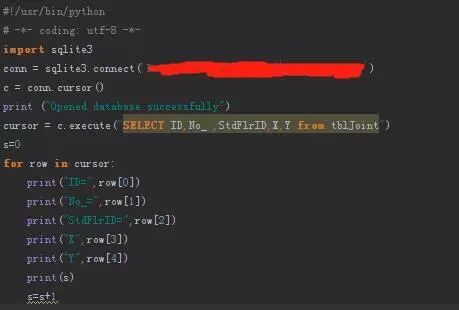
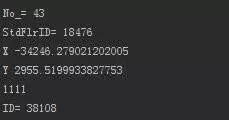
You’re done. If you are interested, please give it a try. For description files related to ydb files, please follow the official account and reply “YDB” to download.
Past selections: Walking Building-YAS VICEROY ABU DHABI HOTEL Non-deconstructive year-end inventory - never forget the original intention Those architectural plans that exist in beautiful imaginations The greatest “bad ending” in human history - the correction of the Leaning Tower of Pisa 小软件怒刷存在感 —— Xtract应用实例 直岛之行——与自己的一次对话当桁架遇到拓扑优化


本文档由AI从非解构公众号自动采集整理,仅供学习参考。
LOADING…