BIM forward design exploration | Realizing two-way real-time linkage between YJK and Revit
BIM forward design exploration | Realizing two-way real-time linkage between YJK and Revit
Official Account: Non-Deconstructive · Author: Zhou Wenqi (Venchy)
1、YJK与Revit进行联动的必要性 With the promotion of BIM technology, the exploration of forward design methods based on BIM has become a hot topic in the current architectural design industry. The entire design process is run through a model, and various disciplines collaborate with each other to obtain the information they want from this model and realize real-time linkage adjustments of all disciplines. All drawings can also be generated directly through these three-dimensional models. This idea is undoubtedly beautiful. If such technology is applied in the actual design process, the work efficiency of architects and engineers will undoubtedly be greatly improved. At present, many companies have seen the potential of such technical paths and have begun various attempts. However, the process of exploration is undoubtedly tortuous. At present, there are few cases of successful application of professional 3D forward design. There are many reasons for this situation, and a very important reason is that there is currently no very reliable forward design collaboration tool on the market. In order to solve this problem, this article explores the method of real-time linkage between YJK and Revit based on the YJK-GAMA digital intelligent design platform.
Currently, Revit has interfaces based on Rhino and grasshopper. YJK can establish connections with Rhino and Grasshopper through YJK-GAMA. Therefore, we tried to establish a real-time linkage interface between YJK and Revit through YJK-GAMA and grasshopper.
- Linkage between YJK and Revit models 2.1 Rhino.Inside.Revit Rhino.Inside.Revit is an open source project launched by mcneel that drives Revit models through Rhino and Grasshopper. It is a sub-project of mcneel’s Rhino.Inside project (this project also includes modules for embedding Rhino into Autocad, Unity and other software). The purpose of this project is to embed Rhino and Grasshopper into these software through secondary development, so that Rhino becomes a plug-in that can control these software, and Grasshopper becomes a plug-in for the Rhino plug-in. Before installing Rhino.Inside.Revit, any version of Rhino7 and Revit2018-2022 needs to be pre-installed. Components can be downloaded through Food4Rhino. Revit can be started directly after the component is installed. The following prompt will appear during the startup process:
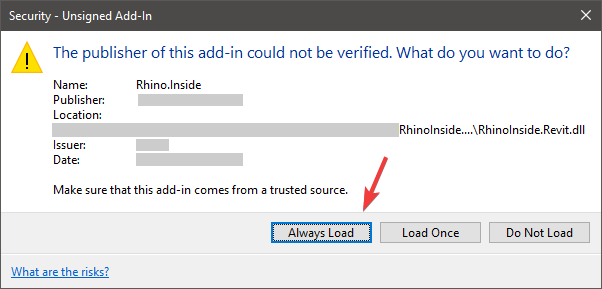
Click Always Load directly, and Rhino.Inside.Revit will be automatically loaded when you start Revit.
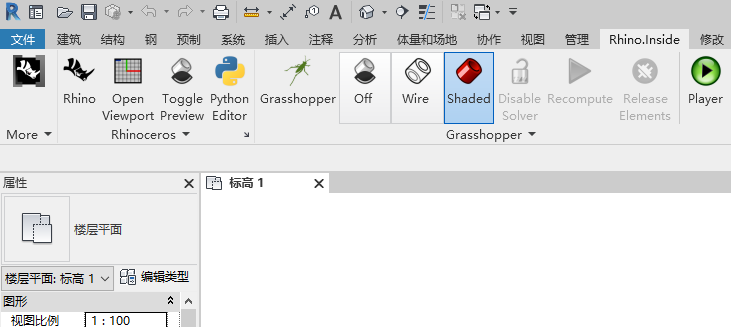
After starting Revit, the Rhino.Inside menu will appear in Revit. Click the Start button to activate the Rhino.Inside component.
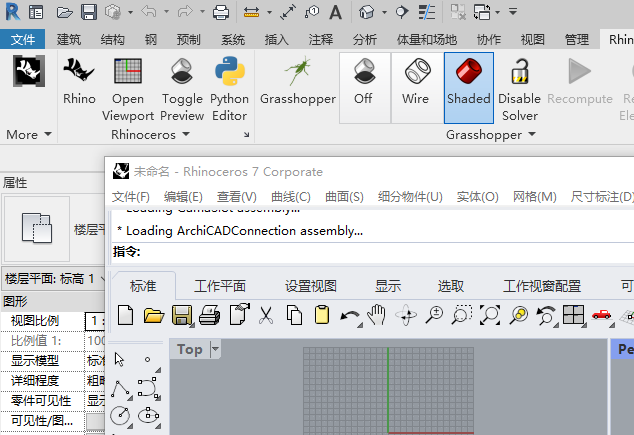
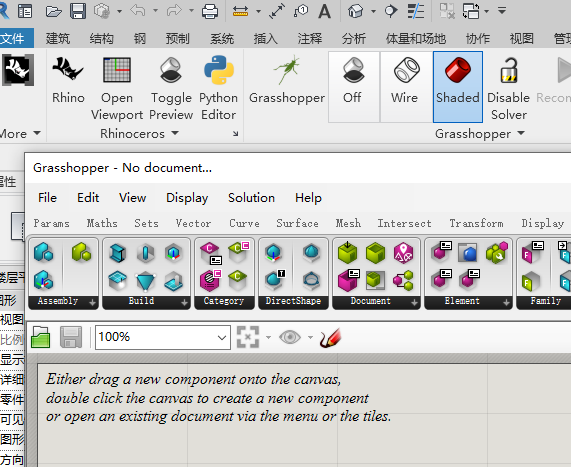
点击Rhino按钮,可以激活Rhino界面。点击grasshopper按钮,可以激活grasshopper界面。grasshopper界面下包含revit相关的面板,里面有很多revit相关功能的电池。我们可以直接通过这两个界面,直接控制Revit。 2.2 传递Revit对象至YJK After opening the interface, we can directly obtain the objects in the Revit model through grasshopper.
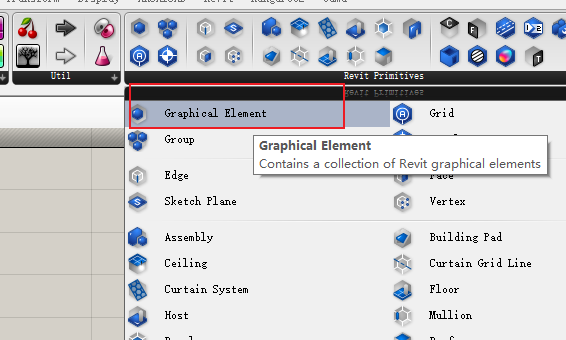
Take a pillar as an example: we can load a graphical element battery in grasshopper. Right-click on the structure object that needs to be loaded. In this way, the components in the Revit model are loaded into grasshopper.
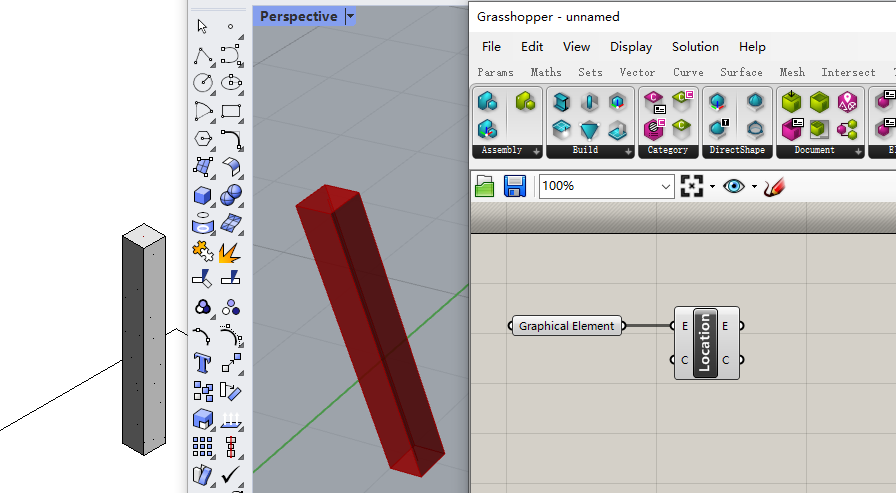
We can obtain the unit line of the column in Rhino through the ElementCurve in Element. We can also obtain the cross-sectional dimensions of the column through element type battery and type identity battery. In this way, we can fully obtain all the information about the column.
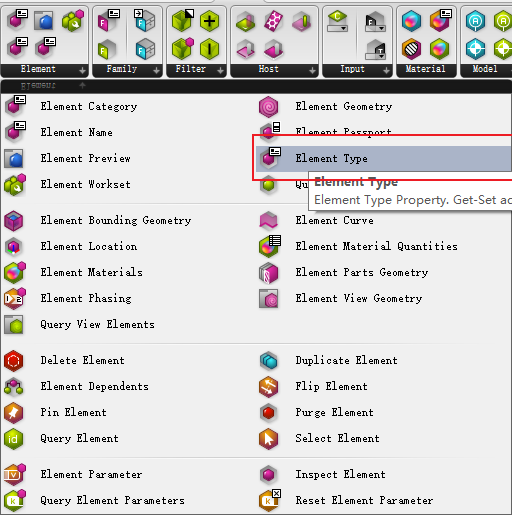
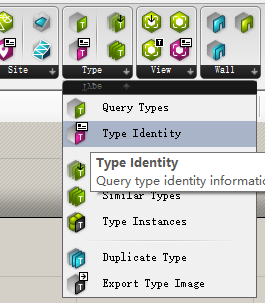
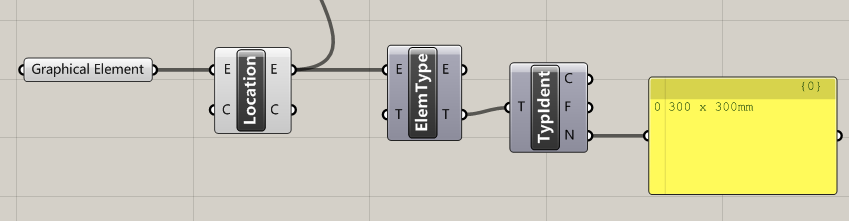
Next, we only need to transfer the obtained Revit component information to YJK through the Gama interface to complete the real-time linkage between YJK and Revit data. Here, we only need to transfer the axis of the column and the cross-sectional dimensions of the column to YJK.
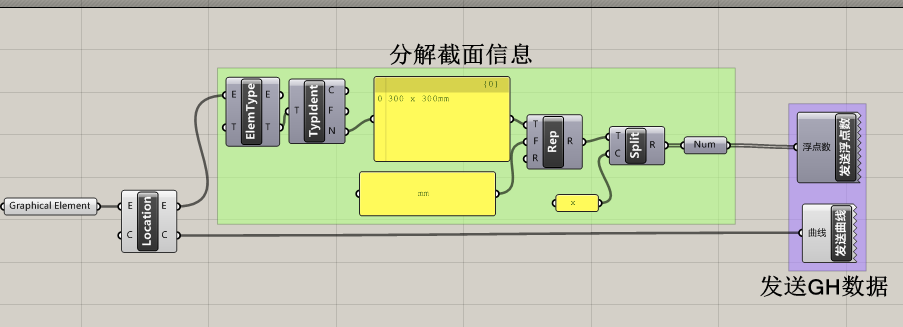
由于Revit中的截面是通过族来定义的,我们可以通过获取截面族的类型名称,然后通过在grasshopper中的字符操作,完成对截面参数的转化。
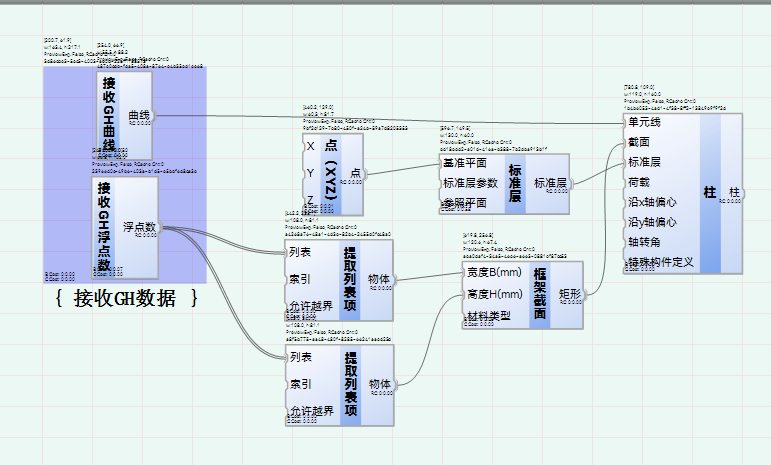
After the data in grasshopper is transferred to YJK, the logic of model generation can be built directly in YJK-GAMA. In this way, real-time linkage between Revit and YJK data can be achieved.
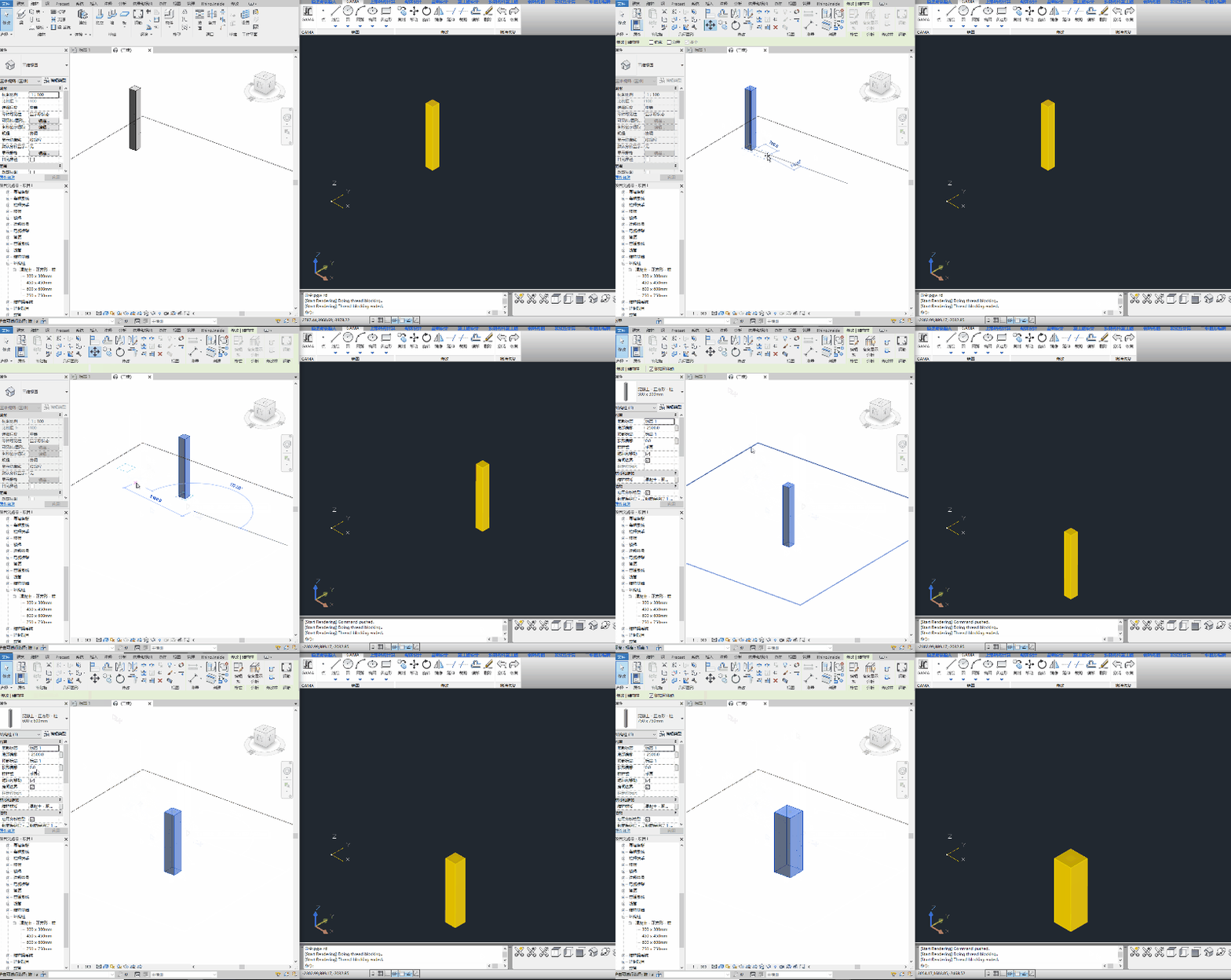
We can see that when moving the column in Revit, the column in YJK also moves accordingly. Corresponding cross-sectional dimensions can also be linked simultaneously. 2.3 Transfer YJK objects to Revit 同样的,我们可以反向地将YJK中的模型数据同步传输到Revit中。
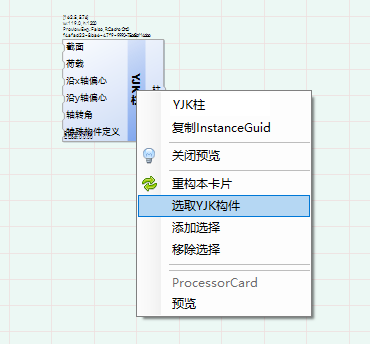
First, we can load the components that need to be transferred in YJK. Here, we load the YJK components in YJK-GAMA by clicking. Then, we decompose the column card and obtain the parameters related to the column.
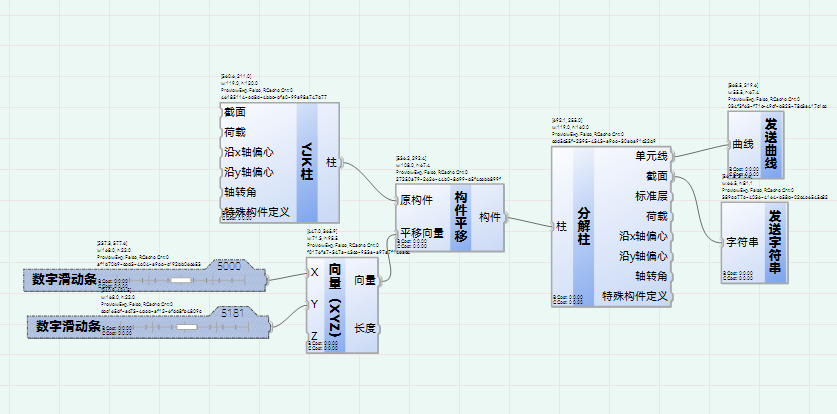
接下来,还是通过发送曲线的方式,将YJK中的构件发送到Revit上的grasshopper中。
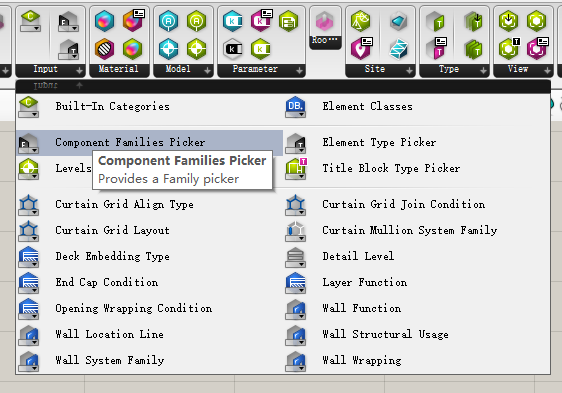
In grasshopper, we can obtain families such as floors through Get Family under the Input tab, and load existing families and attributes in Revit.
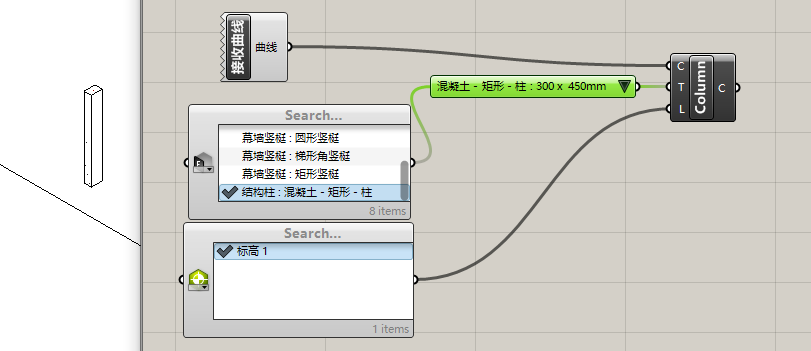
We can synchronize the columns created in YJK to Revit through the curves passed from YJK and the families loaded from Revit.
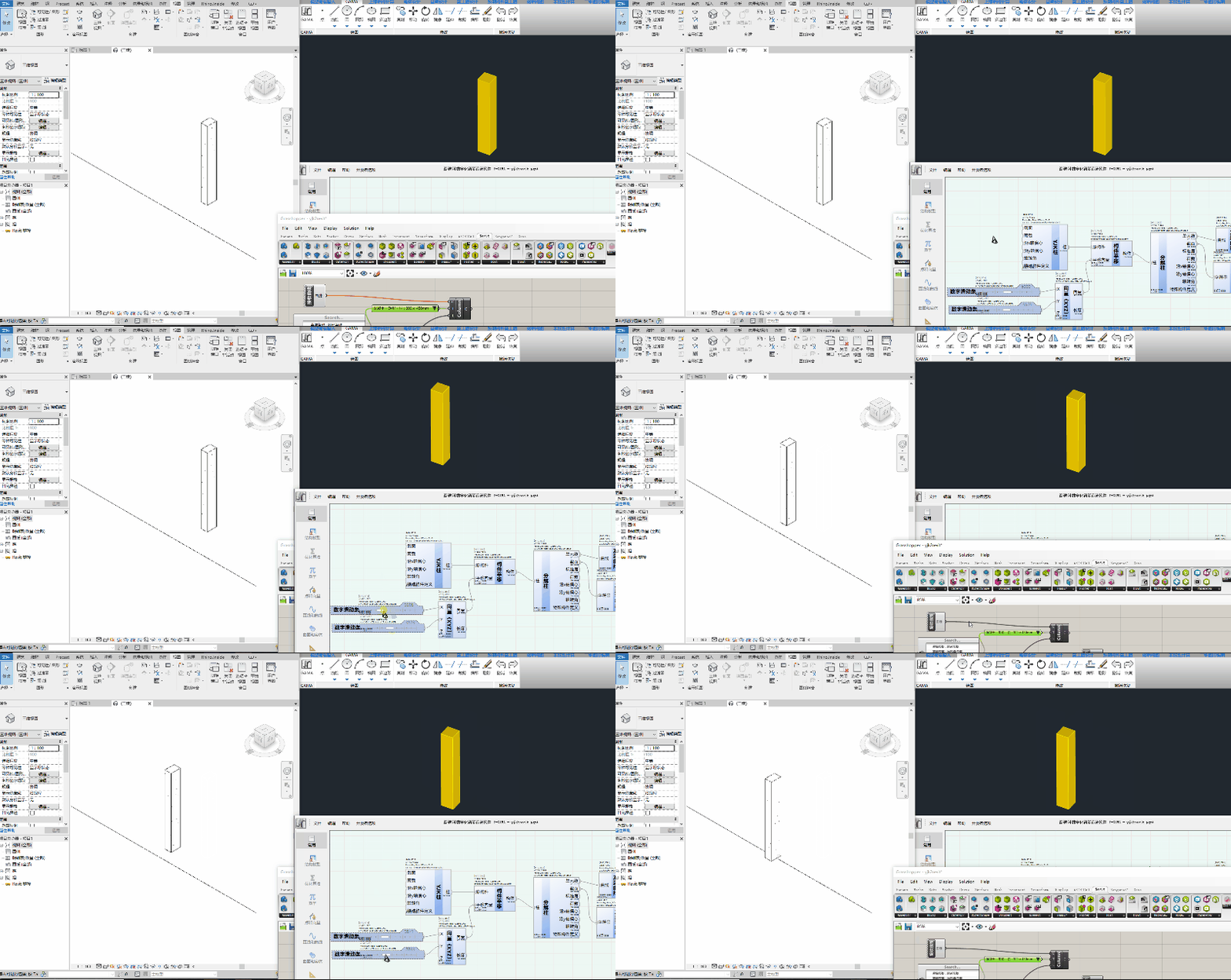
But there is a small flaw here, that is, Rhino.Inside will block some synchronization functions. Therefore, when the columns in YJK are modified, grasshopper cannot respond to the modifications. Recompute needs to be rerun on the gh canvas to load the modified objects into Revit. Next, let us look at an example of real-time linkage of a simple frame model in YJK and Revit:
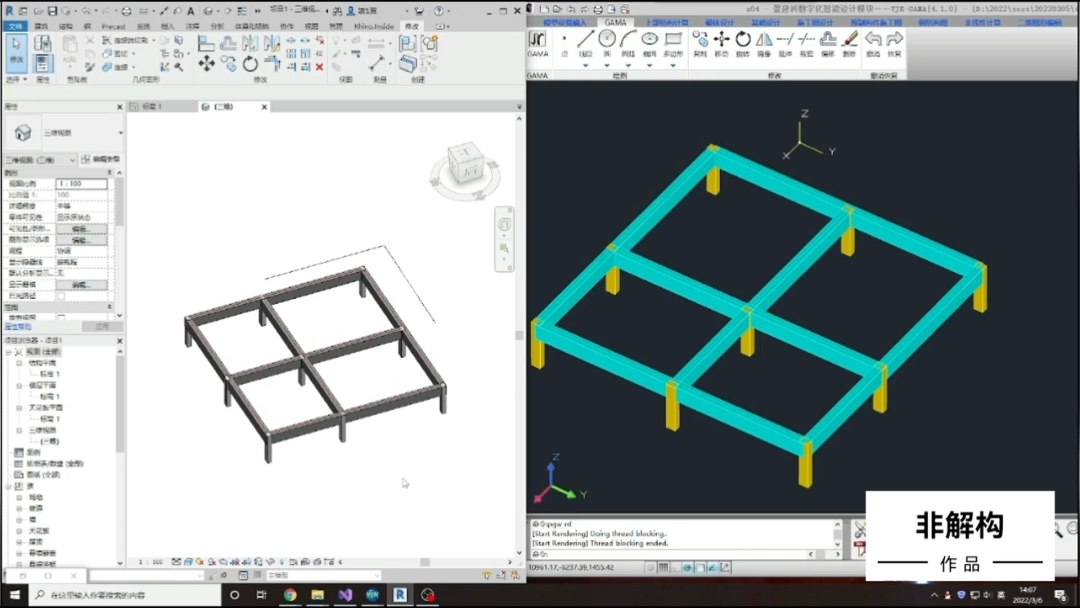
- Summary We can find that through the data interaction between YJK-GAMA and Grasshopper, Revit can achieve two-way data exchange with YJK. So, can we make such an assumption? Throughout the design process, we use Revit modeling and use Revit’s three-dimensional design capabilities and drawing capabilities to replace CAD drawings where appropriate. Through data interaction between YJK-GAMA and the YJK model, real-time updating and adjustment of the structural model can be achieved. Concentrate most of the work on one model instead of repeatedly synchronizing between different models to perform mechanical repetitive operations. Will this improve our current workflow and save everyone’s working time?
本文所有的模型交互的案例文件都已上传至百度网盘,欢迎大家下载使用。 Download address: https://pan.baidu.com/s/1xp7qBWrnzIWxRgylIPb_8g Extraction code: 4167

YJK-GAMA has now been upgraded to version 1.2 Join the QQ group and let’s explore together The infinite possibilities of YJK-GAMA!

联系我们“大菲儿”。 Join the “Digital Intelligent Design of Building Structures” WeChat exchange group, Let’s communicate and discuss cutting-edge technologies such as digitalization and intelligence 在建筑设计行业中的运用。
We also welcome like-minded partners to join us. Let’s do something fun together.

接下来我们还会给您带来更多的惊喜,关注 Let’s go public!
本文档由AI从非解构公众号自动采集整理,仅供学习参考。
Original Source: https://mp.weixin.qq.com/s/IcYycCar9KQeiE9g2_ddmw
LOADING…